
PCとArduino間でのシリアル通信を介したEEPROM書き込み(難航)
お疲れ様です。高橋です。
Arduino Pro MiniでI2C EEPROMを使う実験をしました。
動かない
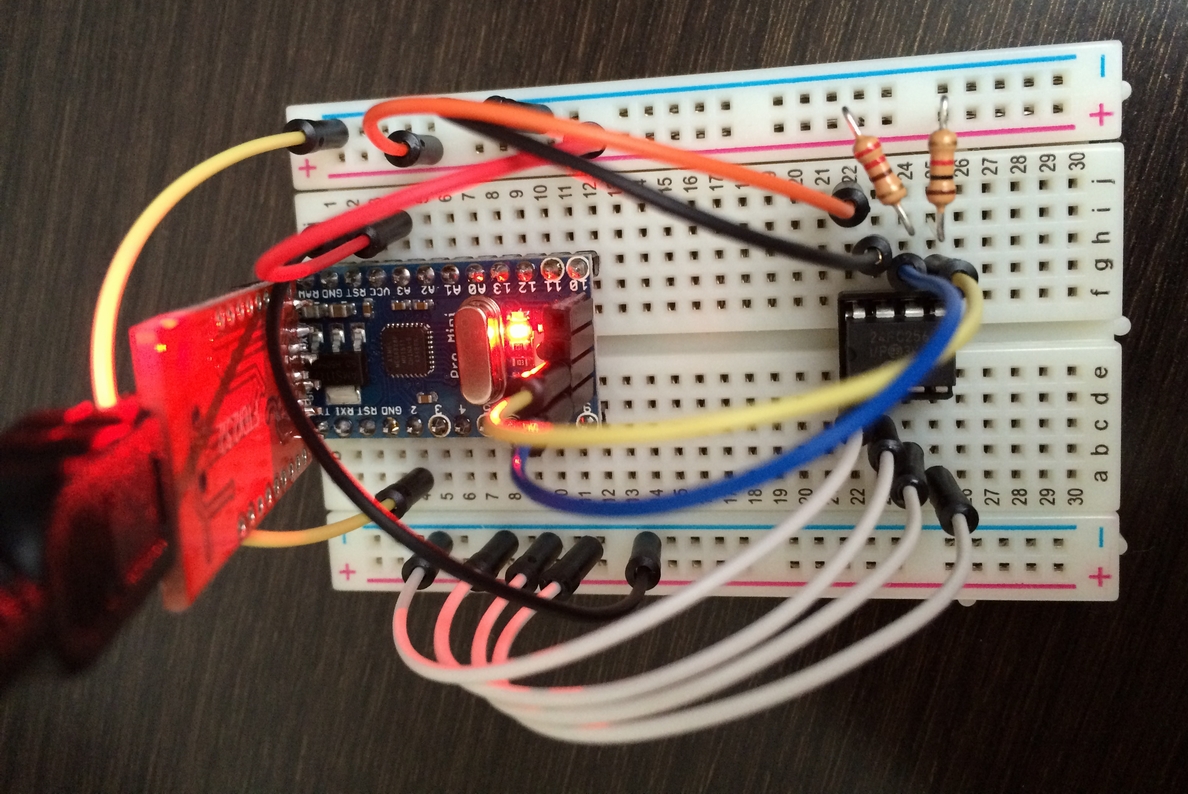
過去の配線通りに回路を組んで、早速実験。
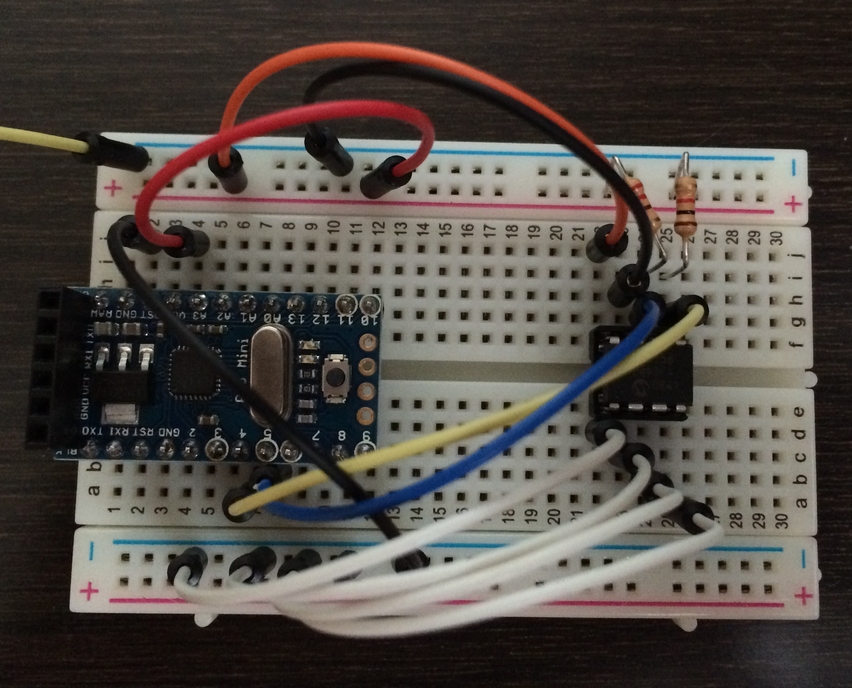
しかし、Write Errorとなってしまいました。
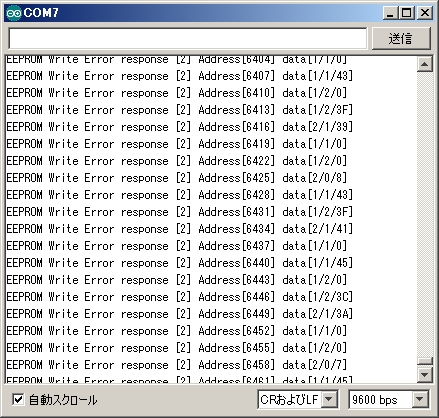
原因はすぐに判明。Arduino UNOやPro Miniは、I2C通信をするためのWireというライブラリがアナログ4番と5番を使っているのですが、間違ってデジタル4番と5番に挿していたのです。
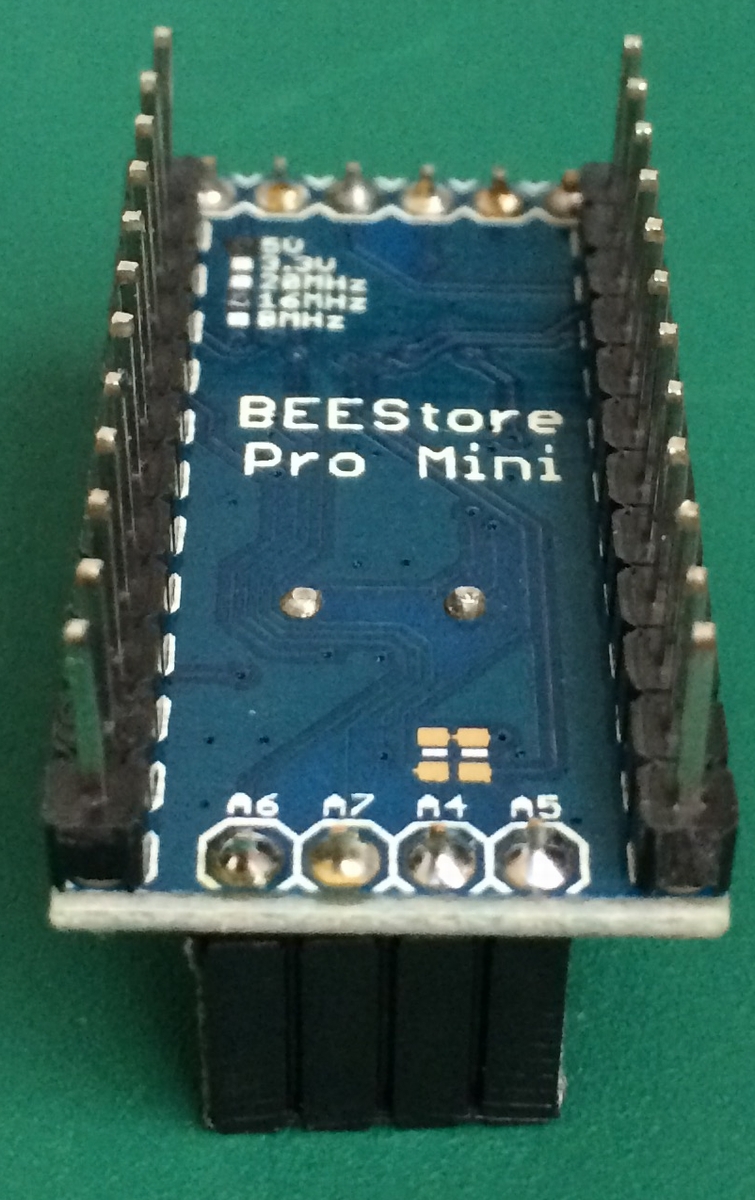
しかし、Pro Miniのアナログ4番~7番は、リセットスイッチの右側にある4本であり、半田付けするのを忘れてました。ので、急遽半田付け。
ピン配置
私の買ったArduino Pro Miniは、4、5、6、7が変な順番で配置されてます。
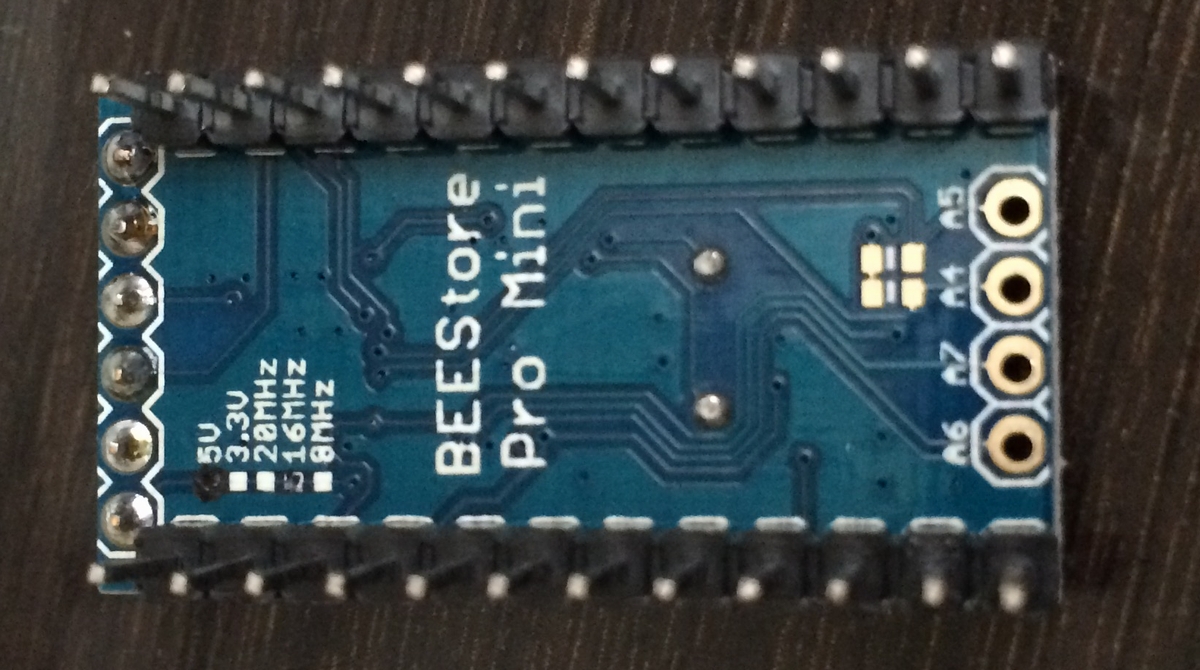
一方、sparkfun版のPro Miniも、なかなか変な場所に4,5,6,7が出てます。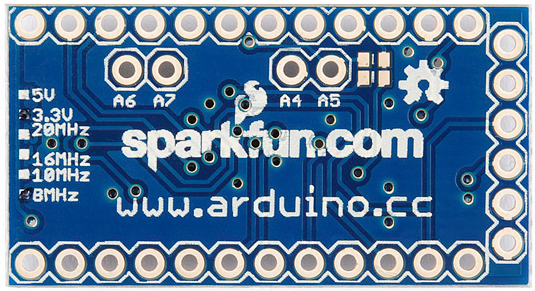
虐げられててかわいそう。
半田付け
ピンソケットにするか・・・
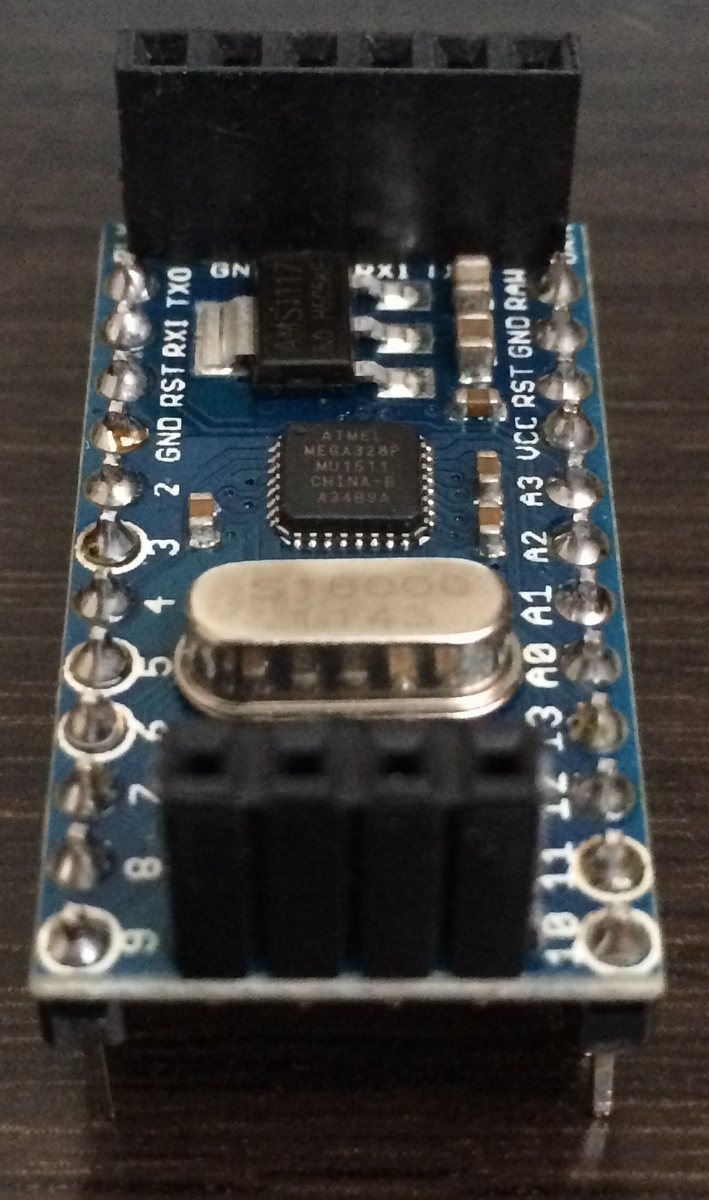
ピンヘッダにするか・・・
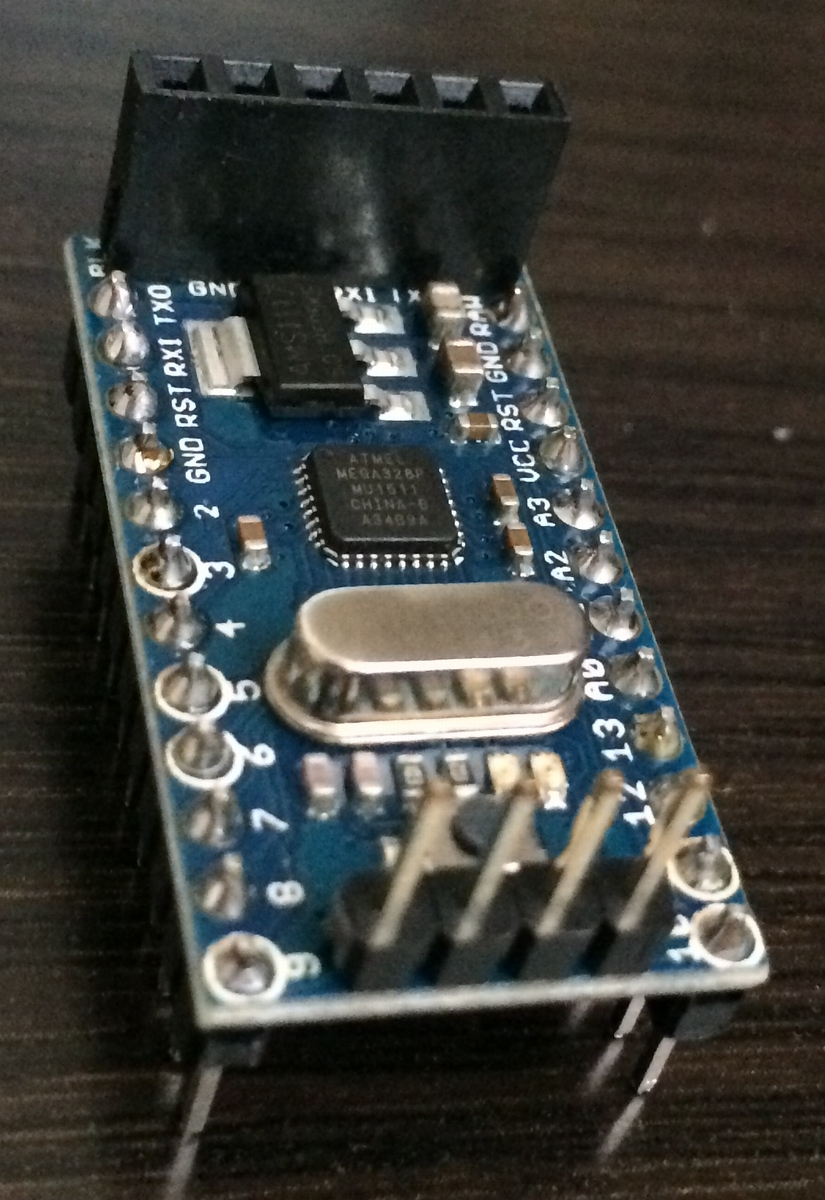
30秒程悩みましたが、オス-オスのジャンパー線が在庫豊富なので、ピンソケットで行くことにしました。
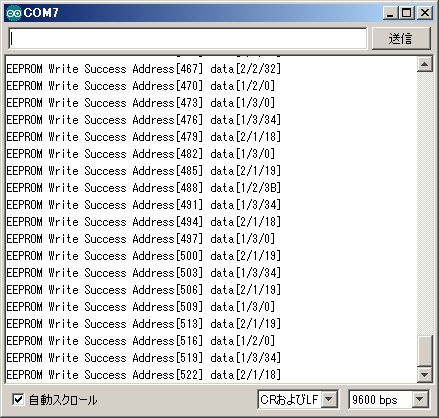
Read/Write共に正常に動作しました。
PC-Arduino間のシリアル通信によるEEPROMへの書き込み
ちょっと前にPC側のJavaで実装した、楽曲データをシリアル通信でArduinoに送るプログラム。今日は、Arduino側で受信したデータをEEPROMに書き込む実験を行いました。
結果から言うと、まだ正常動作してません。。
全体像
全体像は下記の通りです。
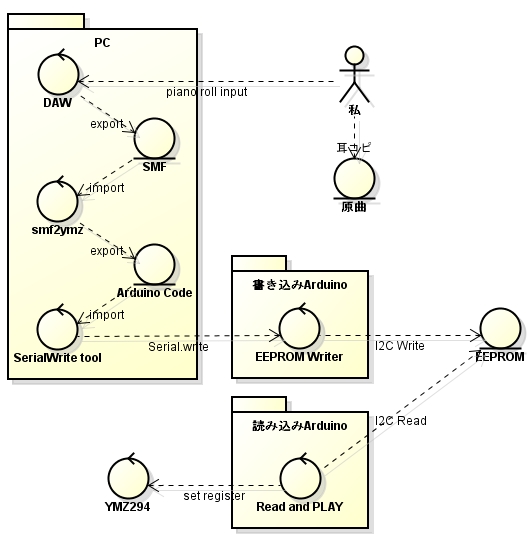
下記がPC側から送出するjavaのコード。の、debug用コード。
package serialTest;

import java.io.BufferedReader;
import java.io.FileReader;
import java.io.IOException;
import java.io.OutputStream;

import gnu.io.CommPort;
import gnu.io.CommPortIdentifier;
import gnu.io.SerialPort;

public class SerialWriteDebug {

 // -- bps
 public static String COM_PORT = "COM7";
 public static int BPS = 4800;
 public static String FILE_PATH = "D:/Arduino/sample.txt";

 public static void main(String arg[]) throws IOException {

 BufferedReader br = null;
 SerialPort port = null;
 OutputStream out = null;
 try {

 /***************************************************
 * create serial connector
 ***************************************************/
 // create serial ID
 CommPortIdentifier comID = CommPortIdentifier.getPortIdentifier(COM_PORT);
 // open ID (application_name, timeout)
 CommPort commPort = comID.open("SerialTest02", 2000);
 // cast to port
 port = (SerialPort) commPort;

 /***************************************************
 * configure serial port
 ***************************************************/
 port.setSerialPortParams(BPS, SerialPort.DATABITS_8, SerialPort.STOPBITS_1, SerialPort.PARITY_NONE);
 port.setFlowControlMode(SerialPort.FLOWCONTROL_NONE);

 out = port.getOutputStream();

 /***************************************************
 * write data to Serial
 *
 * read from Arduino code exported by kalshagar's library.
 * https://kalshagar.wikispaces.com/Arduino+and+a+YMZ294
 *
 ***************************************************/

 br = new BufferedReader(new FileReader(FILE_PATH));
 int intAddress = 1;
 char[] data = { 0x00, 0x00, 0x00 };
 for (int j = 0; j < 10; j++) {
 writeDataToSerial(intAddress, out, data);
 intAddress += 3;
 if (intAddress % 64 == 0) intAddress++;
 }

 data[0] = 0x01;
 data[1] = 0x01;
 data[2] = 0x01;
 writeDataToSerial(intAddress, out, data);
 intAddress += 3;
 if (intAddress % 64 == 0) intAddress++;
 data[0] = 0x02;
 data[1] = 0x02;
 data[2] = 0x02;
 writeDataToSerial(intAddress, out, data);
 intAddress += 3;
 if (intAddress % 64 == 0) intAddress++;
 data[0] = 0x03;
 data[1] = 0x03;
 data[2] = 0x03;
 writeDataToSerial(intAddress, out, data);

 } catch (Exception e) {
 e.printStackTrace();
 } finally {

 br.close();
 out.close();
 port.close();
 }

 }

 public static int readValue(String line, String regex1, String regex2) {

 String[] ary01 = line.split(regex1, 0);
 String[] ary02 = ary01[1].split(regex2, 0);
 int intShort = Integer.parseInt(ary02[0]);
 return intShort;
 }

 public static void writeDataToSerial(int intAddress, OutputStream out, char data[]) throws IOException, InterruptedException {

 System.out.print("Address [" + intAddress + "] data [");
 System.out.print(Integer.toHexString(data[0]));
 System.out.print(" ");
 System.out.print(Integer.toHexString(data[1]));
 System.out.print(" ");
 System.out.println(Integer.toHexString(data[2]) + "]");

 out.write(data[0]);
 out.write(data[1]);
 out.write(data[2]);

 Thread.sleep(50);
 }
}
下記が書き込みArduino側のスケッチ。
#include <Wire.h>
#include <skMC24xxx.h>

skMC24xxx MEM(0, 0, 0) ;

int intCurrentAddress = 1;
int response;
int intCurrentRecvSize = 0;
char aryWriteData[4];
char c = 0;

void editCurrentAddress() {
 if (intCurrentAddress % 64 == 0) {
 intCurrentAddress = intCurrentAddress + 1;
 }
}

void setup()
{
 Serial.begin(4800) ;
 delay(1000);
}

void loop()
{
 if (Serial.available() >= 3) {
 for (int i = 0; i < 3; i++) aryWriteData[i] = Serial.read();
 response = MEM.Write(intCurrentAddress, aryWriteData, 3);
 delay(5);
 intCurrentAddress = intCurrentAddress + 3;
 editCurrentAddress();

 }
}
PCとArduinoでシリアル通信している間はシリアルモニタによる確認が出来ないので、書き込んだ後にEEPROMのデータを読み込んで、中身をチェックするためのスケッチが下記。
#include <Wire.h>
#include <skMC24xxx.h>

skMC24xxx MEM(0, 0, 0) ;

int intCurrentAddress = 1;
int response;

void editCurrentAddress() {
 if (intCurrentAddress % 64 == 0) {
 intCurrentAddress = intCurrentAddress + 1;
 }
}

void showResponseMessage(int response, char data[4]) {
 Serial.print("Address[");
 Serial.print(intCurrentAddress);
 Serial.print("] data[");
 Serial.print(data[0], HEX);
 Serial.print("/");
 Serial.print(data[1], HEX);
 Serial.print("/");
 Serial.print(data[2], HEX);
 Serial.println("]");

}
void setup() {

 Serial.begin(9600) ;
 delay(1000);
}

void loop() {
 char readData[4];
 response = MEM.Read(intCurrentAddress, readData, 3) ;
 showResponseMessage(response, readData);
 if (readData[0] == 3 ) {

 while (true);
 } else {
 intCurrentAddress = intCurrentAddress + 3;
 editCurrentAddress();
 }
}
動かしてみる
Arduino側を書き込みスケッチにした状態で、PC側のシリアル通信ソフトを動かして、意図通りのデータがoutされている事を確認。
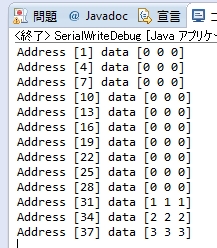
そして、EEPROMの中身を読み込んでみると、
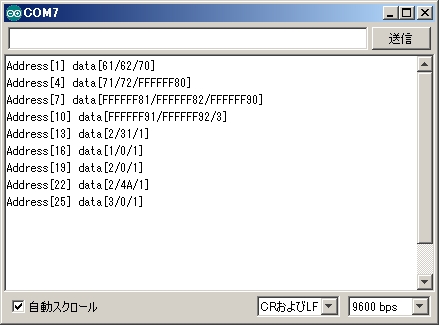
なんだか全然意図しないデータが書き込まれています。
書き込み箇所がおかしいのか、読み込む所がおかしいのか。
以上、よろしくお願い致します。

関連記事
-
-
シフトレジスタLED付きのYMZ294回路をFritzingに起こしてみた。
お疲れ様です。高橋です。 ユニバーサル基板で作ったYMZボードと、音階LED及び …
-
-
耳コピミキサー 半田付け #1
お疲れ様です。高橋です。 耳コピ用ミキサーの半田付けを行いました。 ブレッドボー …
-
-
電子オルゴール 基板実装 #2 ~ワイヤストリッパー~
お疲れ様です。高橋です。 先日秋葉原でワイヤーストリッパーを買ってきました。 被 …
-
-
Pro Mini互換機でFF2戦闘音楽を使ったYMZ動作試験
お疲れ様です。高橋です。 電子オルゴールの最終形をイメージしてブレッドボード上で …
-
-
マウスの位置座標を使った電子楽器を作ってみた。
お疲れ様です。高橋です。 先日分解したマウスを使って、位置座標の取り出しと、取り …
-
-
電子オルゴール 基板実装 #1
お疲れ様です。高橋です。 Pro Mini互換機を贅沢に使った電子オルゴールの仮 …
-
-
YMZシールド 再作成
お疲れ様です。高橋です。 YMZのノイズが超気になる YMZ294用の音楽を聞く …
-
-
音階LED完成、YMZのノイズの原因判明
お疲れ様です。高橋です。 音階LEDの実装が完了しました。 青色LEDが眩しすぎ …
-
-
Arduino nano互換機でオナラ検知デバイス
お疲れ様です。高橋です。 今日のお昼、会社の大先輩から、綺麗にケーシングした自作 …
-

-
猫×おもちゃ×動画×アプリ
お疲れ様です。高橋です。 金魚水槽 先日フラフラとネットサーフィンしていて目に入 …
- PREV
- 本blogの最近のアクセス状況
- NEXT
- 【完成】PCからシリアル通信でEEPROM書き込み